Shopify Repository Setup
Version control, safer updates, and a clear history of every change to your Shopify theme.
Get a Quote
A code repository is one of the most effective ways to protect your Shopify store from accidental breakages, lost work, and hard-to-track issues. It creates a clear, reliable history of every change made to your theme—whether by you, an app, or a developer.
What Is a Code Repository?
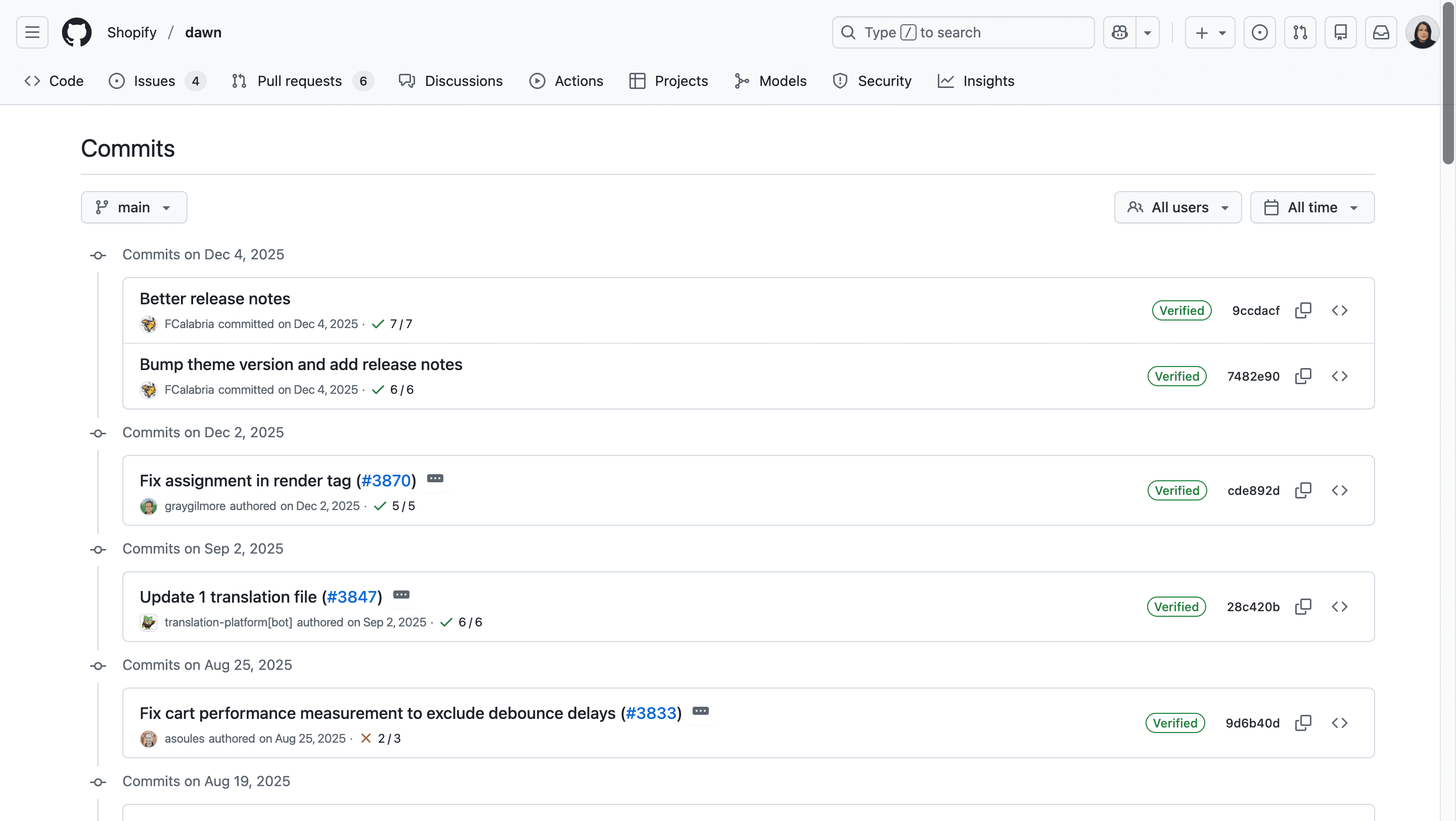
Think of a code repository as a secure timeline of your Shopify theme. Every time a change is made, it’s saved as a snapshot (called a commit). This allows us to see exactly what changed, when it changed, and who made the change.
Instead of overwriting files or guessing what caused a problem, we can trace issues back to a specific moment in time and fix them quickly and safely.
How It Works
Repository
SetupYour current live Shopify theme is connected to a private code repository.
Automatic
SavingAny change made to the theme is automatically saved as a commit in the repository.
Developer
UpdatesWhen a developer pushes changes to the repository, your Shopify theme updates automatically.
Easy
RollbacksIf something breaks after an update, it’s much easier to identify the problem and revert to a previous version.
Good to Know
Rolling back your theme to a previous point in time or undoing problematic changes still requires a developer. However, with a repository in place, this process is significantly faster, safer, and more precise than working without one.
Who Is This For?
Frequently
Updated
Stores
Merchants who regularly make changes to their store.
Stores with
Multiple
Editors
Stores worked on by multiple people, agencies, or developers over time.
Long-Term
Shopify
Stores
Stores built for steady growth, where every update and improvement matters.
Safety-Minded
Businesses
Anyone who wants protection against breaking changes and confidence when making updates.
Protect What You’ve Built
Set up a professional workflow that makes updates safer, faster, and easier to manage.