Pantry
Pantry is a friendly, flexible Shopify theme for vegan restaurants and plant-based food stores — built to make dietary labels, ingredient transparency, and allergen information easy to display and browse.
What's included
5 Theme Styles
Every theme preset — Takeout, Crumbs, Pantry, Orchid, and Potion — is included in the price. Switch between them at any time. Two additional styles (Olive and Rich) are available on request.
26 Theme Sections
Image Banner, Slideshow, Collage, Image Gallery, Featured Collection, Featured Product, Multicolumn, Rich Text, Video, Blog Posts, Contact Form, Map, Email Signup, and more.
Free Updates, Forever
Every improvement we ship is yours automatically — new sections, performance improvements, and Shopify compatibility updates included. No subscription, no upgrade fees.
Hands-On Support
We always respond within 2 working days — but usually faster. We also offer paid services beyond answering theme questions — custom design, development, and other e-commerce related services are available.
Who Is Pantry For?
Vegan Restaurants
Display your full menu with ingredient transparency and dietary labels — no PDF menus or static pages needed. Opening hours keep online orders aligned with your kitchen.
Plant-Based Food Stores
Filtering and tag-based browsing help customers find products that match their dietary requirements quickly, whether they are shopping for vegan, raw, or allergen-free items.
Allergy-Aware Businesses
Allergen labels are visible at every stage of the shopping journey — on collection pages, not just product pages. Customers can filter by tag to find what is safe for them.
Wellness & Health Food Brands
Ingredient tabs and nutritional tables give health-conscious customers the transparency they expect. A clean, approachable design builds trust alongside your product story.
Highlights
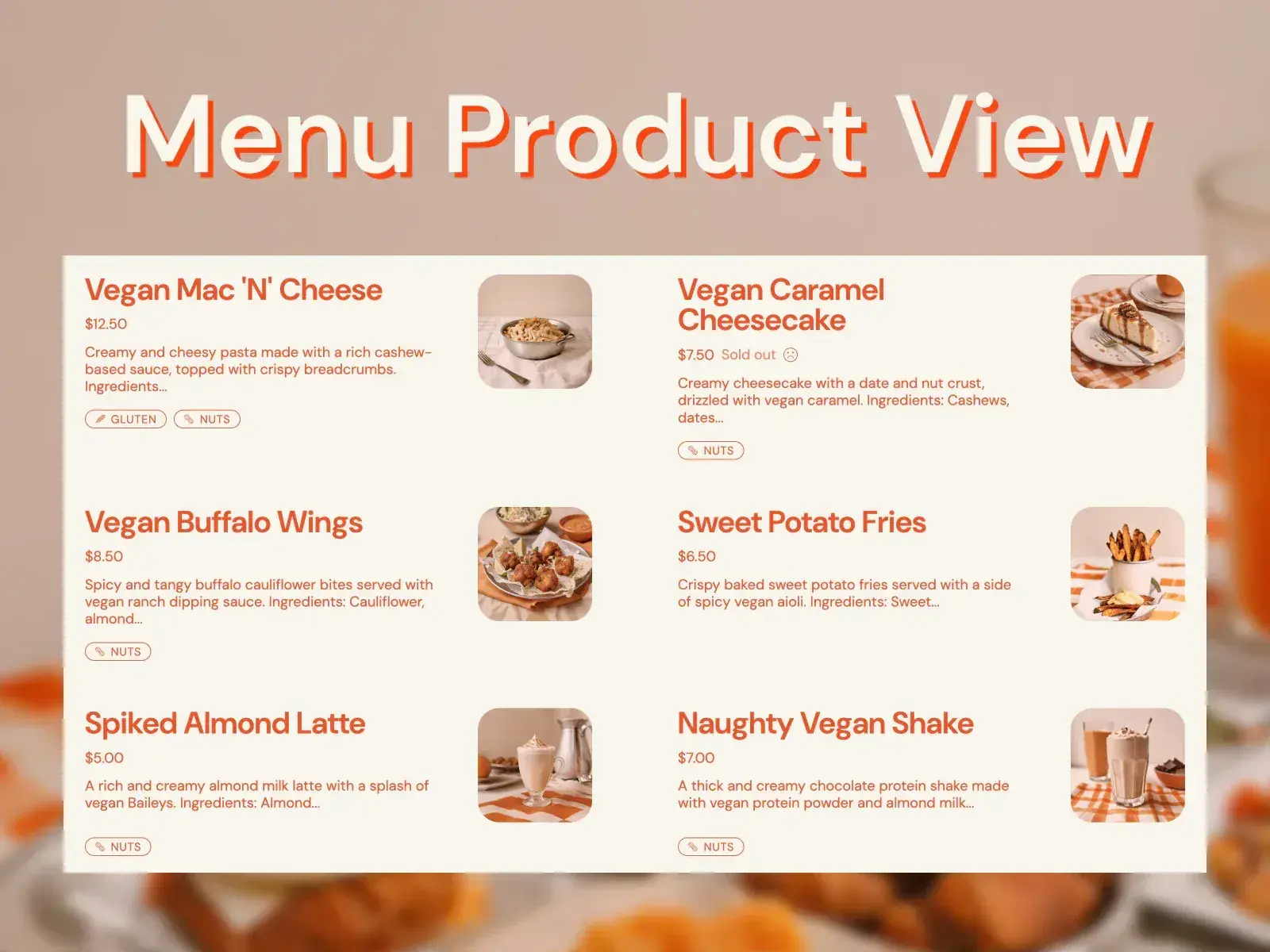
Menu Product View
Let customers browse your store with a classic product grid or a menu-style view, just like in a restaurant.
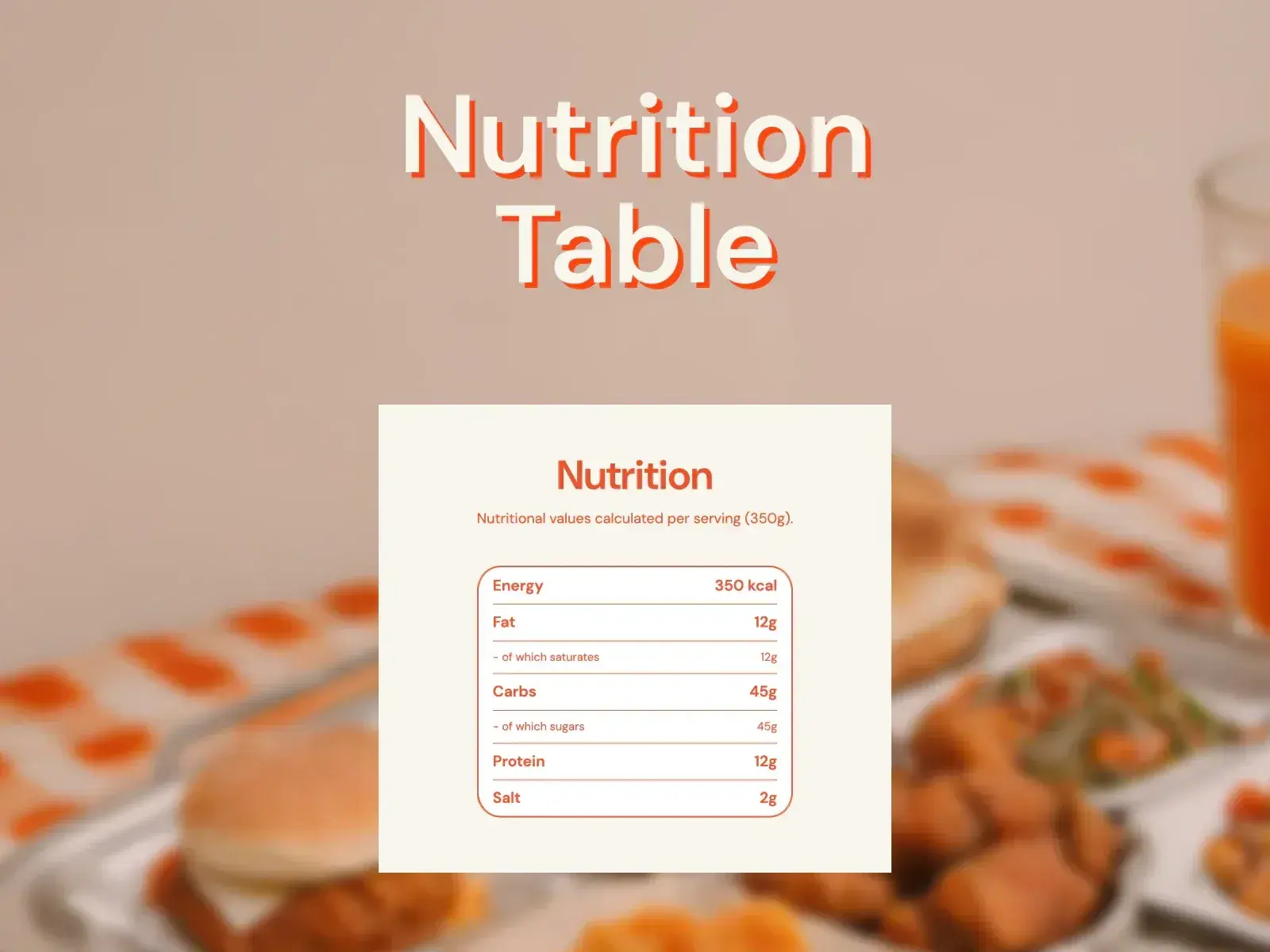
Nutrition Table
This feature can be used to display important data like nutritional values, size guides, or ingredient lists.
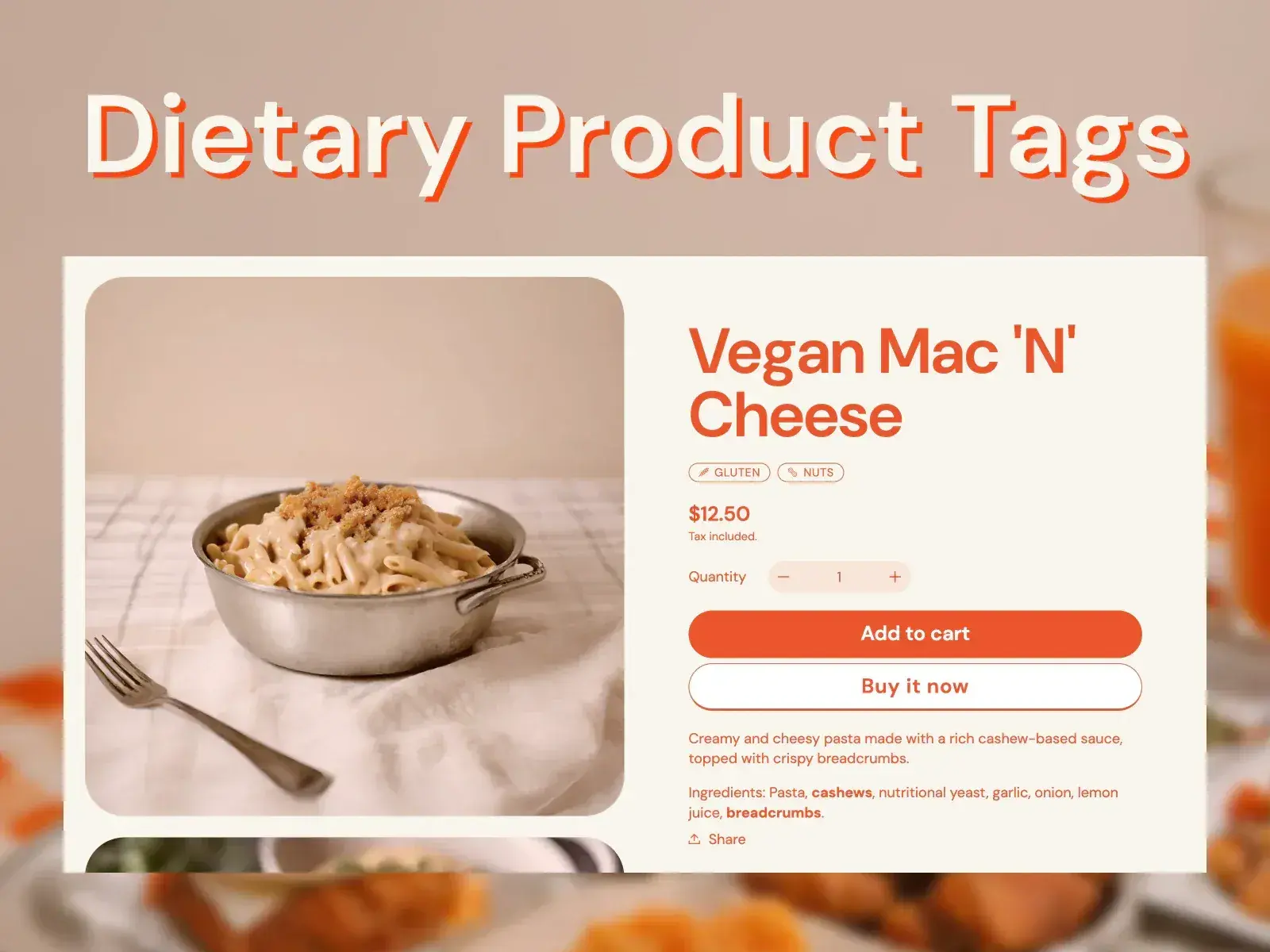
Dietary Product Tags
Automatically applied tags with icons, based on the tag text, help customers quickly identify products that meet their dietary needs.
Theme Features
Menu / Grid Collection View
Versatile collection layout gives a choice between a traditional grid or menu view for customers to browse.
Opening Hours & Restricted Buying
Merchants can set opening hours and restrict order placements accordingly. Live messages can be displayed to inform customers about the next opening time.
Dietary Product Tags
Automatically applied tags with icons, based on the tag text, help customers quickly identify products that meet their dietary needs.
Optimized Mobile Experience
Fully responsive, with elements that can be selectively hidden on mobile, and the product page designed to make buy buttons visible above the fold.
Sticky Buying Buttons
On the product page, sticky buying buttons help increase conversion by keeping the purchase option in view for longer.
Quick Add to Cart Buttons
Inspired by Amazon, these buttons in sections and collections allow for a swift checkout process without needing to visit the product page.
Image Filters
Use image filters to give a professional touch to website images and make them look cohesive. The intensity and use of filters are adjustable.
Layout Control With Divider Section
These features allow merchants to create a balanced and clear website layout, enhancing the aesthetic and user experience.
Custom Table
Display full ingredient lists, allergen tables, and nutritional values in a clear format on product pages, helping customers make informed decisions.
Multicolumn Image Buttons
Ideal for linking to detailed information like different store locations or product categories, these buttons facilitate easy navigation.
Food-Related Icons
By integrating icons that resonate with e-commerce, the theme effectively complements the overall focus of the site, ensuring a cohesive and attractive shopping experience.
Engaging Moving Elements
Animated text, parallax effect on images, and other moving elements bring the store to life, making it easy to engage visitors and convey the brand's story.
26 Theme Sections
Announcement
Allows you to display animated text anywhere in your store. It's perfect for displaying important information or promotions.
Blog Posts
Allows you to showcase most recent blog posts from a selected blog.
Collage
Allows you to create a visually engaging multimedia collage with videos, images, products, collections and text blocks.
Collapsible Content
Allows you to display content that can be expanded or collapsed, making it easier for customers to navigate through large amounts of information.
Collection List
Allows you to showcase a list of collections on a page.
Contact Form
Allows you to provide a form for customers to get in touch with you, accompanied by an optional image or video.
Countdown Banner
Displays a countdown timer. The timer can be set to count to a future date or closing time of the store.
Custom Liquid
Allows you to add custom code for advanced customization.
Divider
Allows you to add visual separation between different sections of your page.
Email Signup
Allows you to collect email addresses from customers to build your mailing list and keep them engaged with news and exclusive offers.
Featured Collection
Allows you to showcase a selection of products from a specific collection.
Featured Product
Allows you to highlight a specific product on a page.
Footer
Allows you to customize the footer of your store with menus, social media links, text, images, and other elements to enhance the user experience.
Header
Allows you to customize the top section of your store, including the logo, menu, and various display options.
Image Banner
Designed to be the main banner on the page. It's a bold, visually engaging section, perfect for highlighting promotions, products, or other key content.
Image Gallery
Allows you to display a collection of images with optional links.
Images with Text
Allows you to pair text and button with multiple images and autoplay videos.
Multicolumn Image Buttons
Allows you to create multiple columns, each with an image, heading, and button, ideal for linking to important information.
Multicolumn Text
Allows you to create multiple columns, each with an image, heading, and text, to highlight different products, collections, or blog posts.
Narrow Banner
Effectively grabs attention and guides customer actions without dominating the page, allowing for a balanced and inviting page layout.
Page
Allows you to display content from a specific page within your store.
Rich Text
Allows you to display short descriptive text with a clear call to action or two.
Slideshow
Allows you to display a series of images or videos in a rotating slideshow format, perfect for highlighting multiple messages or promotions.
Social Links
Allows you to display links to your social media profiles, helping customers connect with your brand on various platforms.
Table
Can be used to display structured data like nutritional values, ingredient lists, or allergen information, aiding customers in making informed purchase decisions.
Video
Allows you to add an externally hosted (YouTube or Vimeo) video to your store.
Comprehensive Documentation
Every feature, section, and setting in Pantry is fully documented — from setting up dietary tags and configuring ingredient tables to getting the most out of product filtering and opening hours. The docs cover the things that make Pantry different in the depth they deserve, so you are never left guessing how something works. And if you do have a question the documentation does not answer, we are here — just get in touch.
View documentationFrequently Asked Questions
Is Pantry a good Shopify theme for a vegan restaurant?
Yes. Pantry is well suited to vegan and plant-based restaurants. It supports heavy use of product tags for dietary labels, collapsible ingredient tabs on product pages, and product filtering so customers can browse by diet type, allergen, or ingredient.
Can I use product tags to show dietary information like gluten-free or nut-free?
Yes. Shopify product tags are displayed on product pages and can be used to label items as vegan, gluten-free, nut-free, raw, or any other dietary category. Customers can also filter collections by tag, making it easy to find suitable products.
How does the Pantry theme differ from Takeout and Crumbs?
All three themes share the same features and are part of the same theme family. Pantry is distinguished by its visual character and is best suited to vegan and plant-based food businesses. Takeout targets restaurants and takeaways; Crumbs targets cafés and artisan bakeries.
Does the Pantry theme support filtering products by diet or ingredient?
Yes. Collection pages include filtering and sorting that you can configure. Filters can be built around product tags, which means customers can filter by dietary categories such as vegan, gluten-free, or allergen-free if those tags are applied to your products.
Is Pantry suitable for a plant-based meal kit or food subscription store?
Yes. Pantry works for any food store selling online. Subscription functionality requires a compatible Shopify app, but the theme is fully compatible with third-party apps. The flexible product page layout suits meal kits with detailed ingredient and preparation information.
What Merchants Say
★★★★★
All in all - great theme and great theme support! The theme works well - very easy to customize and very easy for a beginner website builder (like myself) to build a beautiful website. I really appreciate having a theme and team to get my website going, and I look forward to working with the team going forward.
Dotti
★★★★★
I absolutely love this theme. My first theme was free and I didn't like the turn out. With this theme it gives you a head start, it's professional, eye catching and makes me truly love what I put in the world. The owner of the theme “Ewa” has gone above and beyond to assist me. Whenever I get stuck, she is always there. I am very appreciative.
MY HOLY GLAM